From Figma to Code: building a scalable Design System
Context
Experimental project
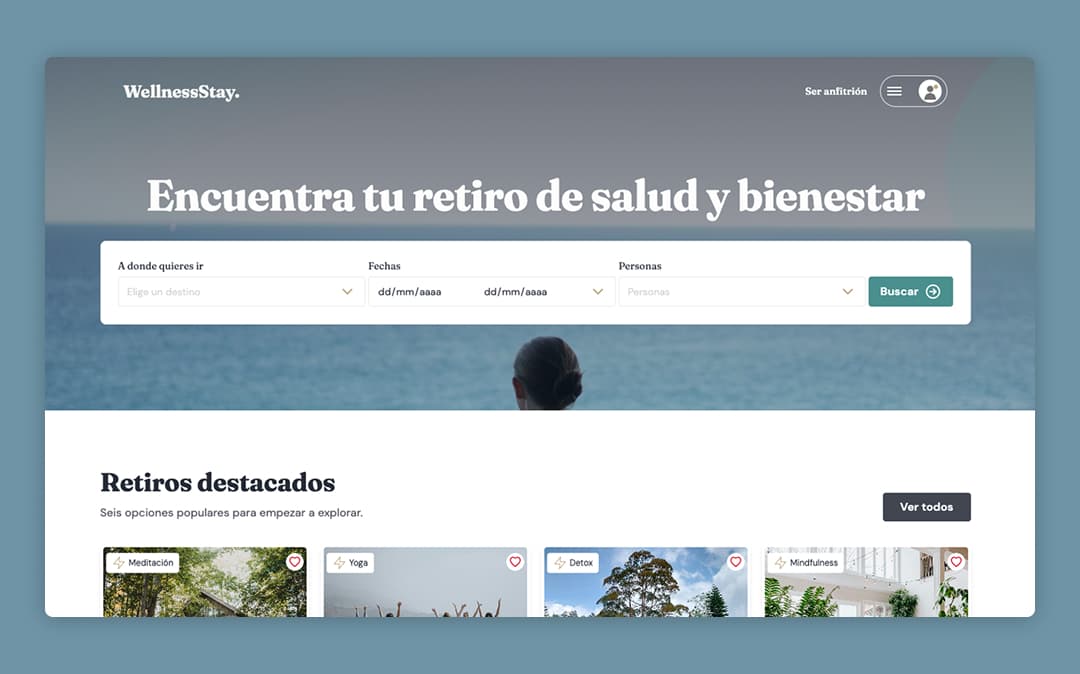
In this project I built a design system from scratch in Figma and then implemented it in code with MCP and Cursor’s assisted agent.
Besides generating the product interface, I also created the project Storybook: a visible library and source of truth for the team, with technical documentation for components and tokens.
The aim is to shorten the gap between Figma and code and make it easier for the product to evolve - in speed and consistency - as new needs arise.
Objective
Generate an AI-ready Design System from scratch
The goal is to create an automated system that can generate new product interfaces and features, making the product quickly scalable.
The challenge is to write the documentation needed so generated code always follows the same instructions and processes, and the results stay consistent.
Research
Understanding the product
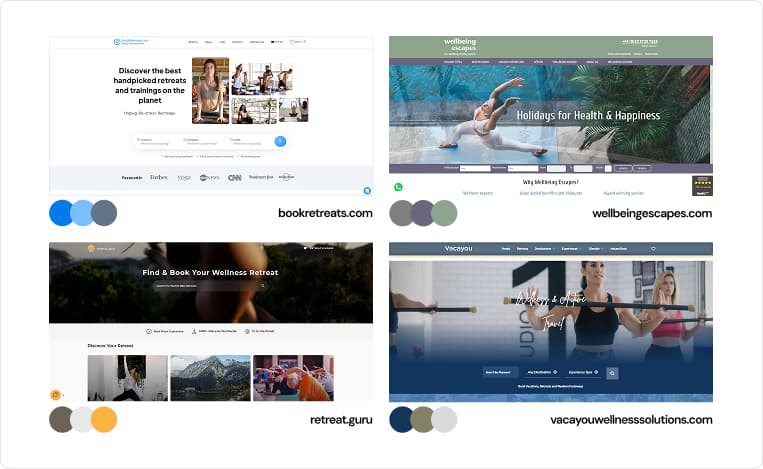
Wellness Stay is a fictional wellness retreat booking marketplace. I started by analyzing travel and wellness platforms currently on the market: retreat booking flows and common UI patterns. At the same time, I gathered competitors’ visual styles in order to choose a distinctive direction.
User task flow
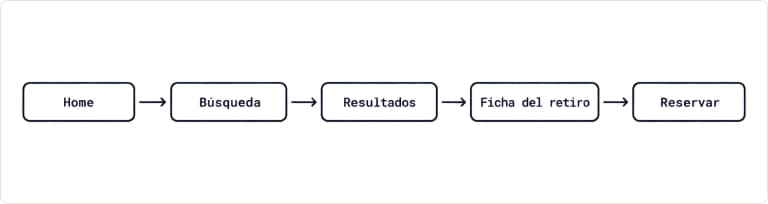
I mapped a task flow to understand the user’s journey: the screens they go through from arriving on the platform, using search, seeing results, opening a listing, and completing a booking.
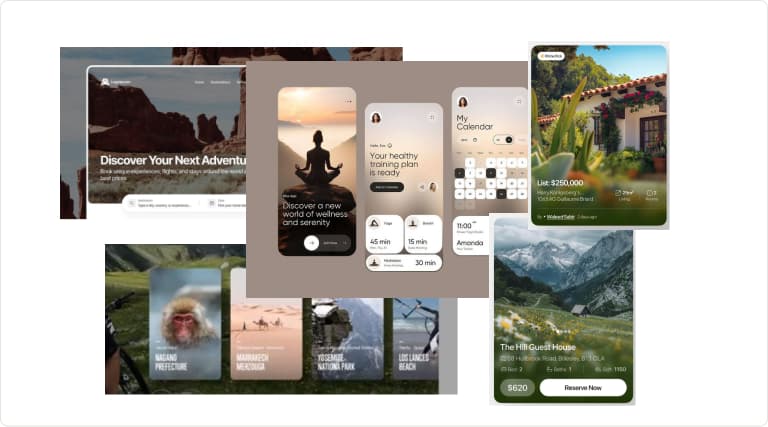
Visual references
Before setting the design foundations, I gathered visual references to understand typical marketplace UI patterns and define a visual style.
Design system
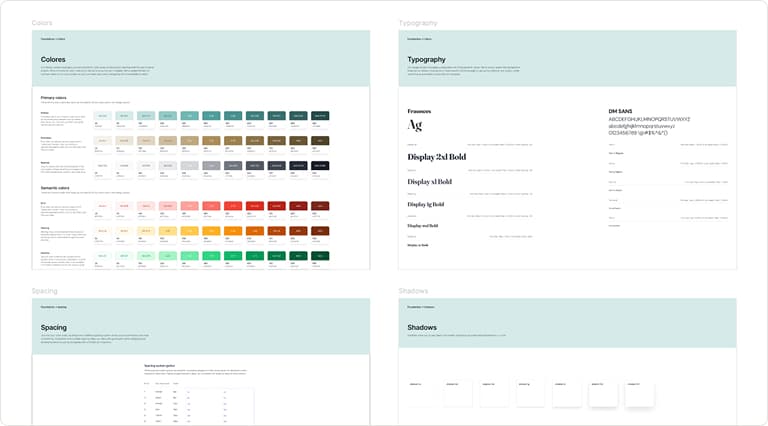
Creating the design foundations in Figma
I started by establishing the foundations, the fundamental visual elements of the interface: color, typography, icons, grids, spacing (margins and paddings), corner radii and border widths.
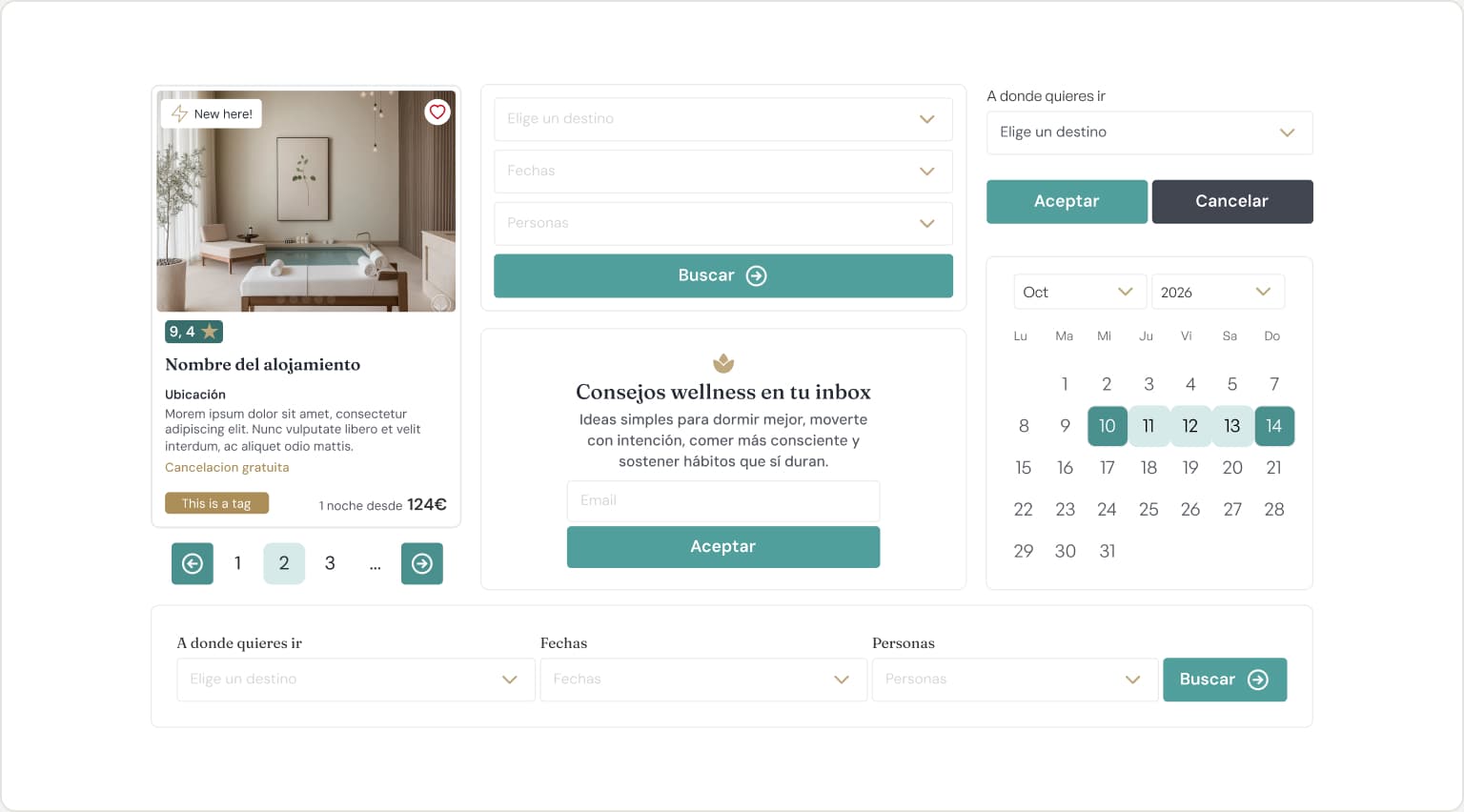
Custom component design in Figma
To build a unique, tailored interface, I designed the components every accommodation marketplace needs: search, cards, filters, buttons, navigation, and so on. The intent is that the system does not invent components arbitrarily when new interfaces are generated, and that they cover every case.
For new components that were not anticipated, they should be added following the same flow: Figma -> MCP -> Storybook -> Interface
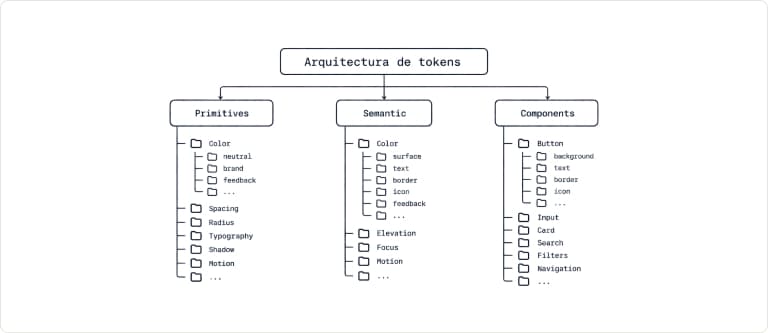
Creating style variables - tokens - in Figma
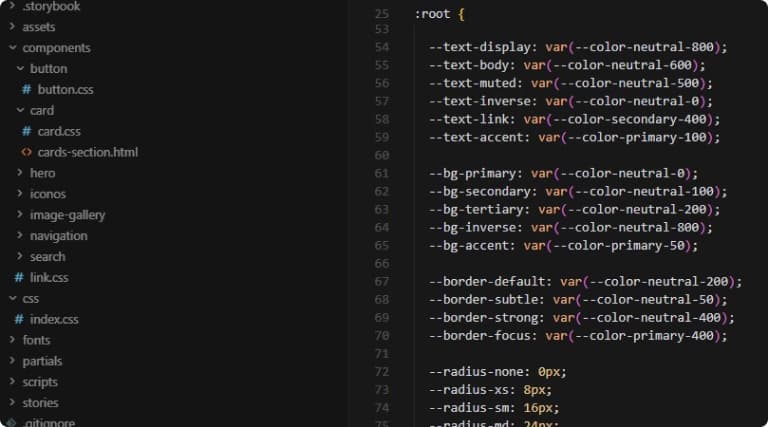
I developed a basic token architecture so design and development would speak the same language. Primitive tokens were the base for the rest: semantic tokens for shared interface elements - borders, surfaces, backgrounds, etc. - and component tokens for specific components.
IDE implementation
At this point I created the local project folder to start integrating the documentation, generating the code, and validating the design system in a real environment. I did not use frameworks; instead I implemented it in HTML, CSS and JavaScript with the elements created beforehand.
Technical documentation for AI and the team
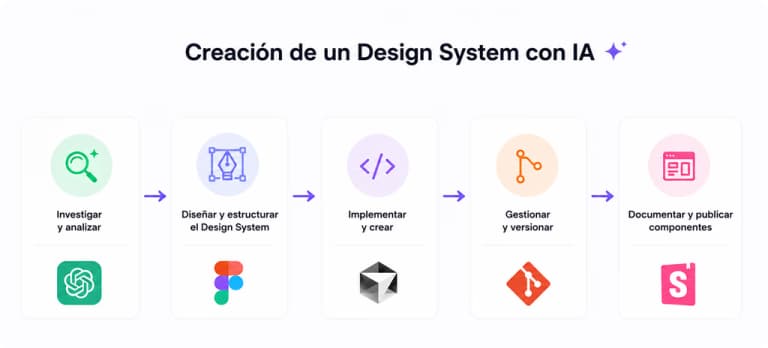
For an AI to generate coherent interfaces, access to Figma components is not enough. It also needs to understand the system context, usage rules and constraints. I wrote those instructions as markdown documents with ChatGPT - AGENTS.md and SKILLS.md - and later added them to the project folder.
The next step was to generate README.md documentation for the project, explaining what it consists of.

Generating component code with MCP and creating Storybook
Once the IDE context, instructions and code-generation process were in place, I implemented Figma tokens and components in code through MCP.
In parallel with generating component code, I created Storybook to store every interface element. It will be updated later as new product requirements appear.
Development
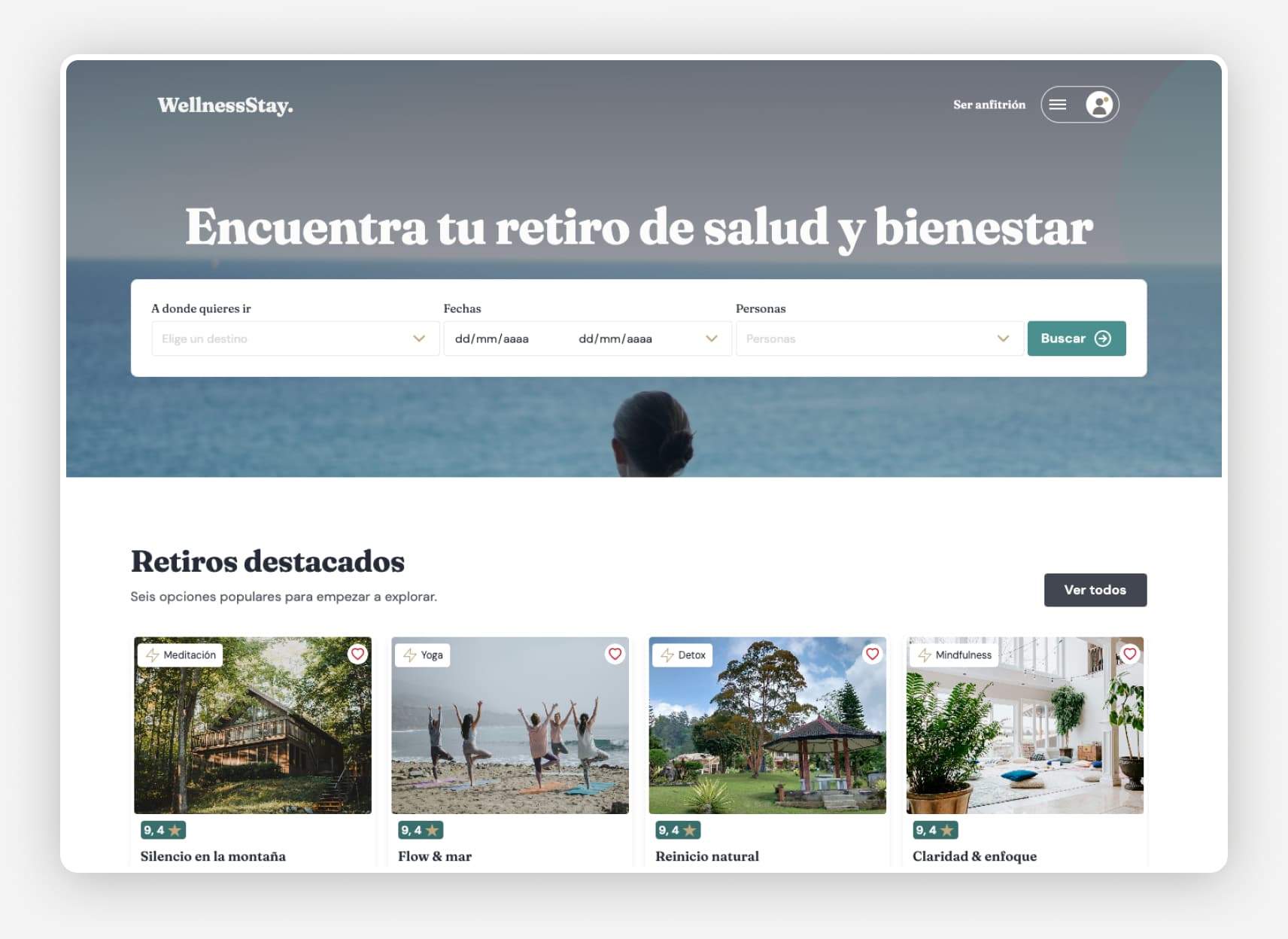
Automated generation of the marketplace screens
Finally, I wrote the specific prompts to generate the homepage sections:
- Navigation
- hero section (search and h1)
- featured
- main categories
- Newsletter
- footer
Conclusion
Learnings from the project.
This project let me approach the Design System not as a collection of components, but as product infrastructure that connects design, development and scalability.
AI sped up the Design-to-Code process, but it also reinforced a key lesson: speed only adds value when there is a defined architecture, clear rules and design judgment behind it. In a real context, the next step would be to validate the hypotheses with users and evolve the system from the product’s actual needs.